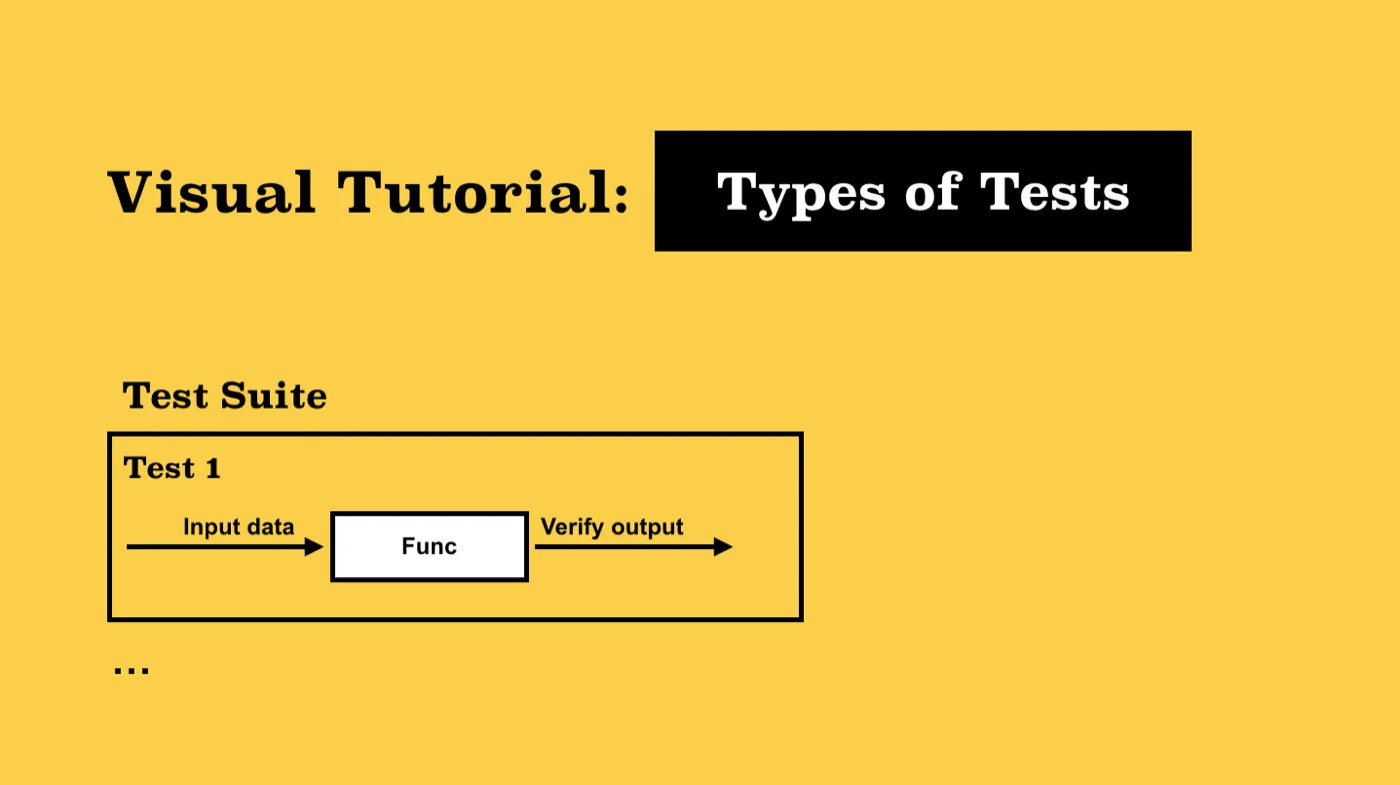
“Theoretically, after each fix one must run the entire bank of test cases previously run against the system, to ensure that it has not been damaged in an obscure way.” — Fred Brooks, The Mythical Man-Month
Some time ago, a manager asked me to tell him a credible resource where he could find a clear description of the difference between integration and unit tests. I answered that it was obvious and he could find this description on Wikipedia as well as Stack Overflow.
After a while, the manager sent me a message with a short description of the difference between tests to recheck and approve it. I was interested in why this was necessary. It turned out that one of the software developers argued that unit tests were the main way and there was no need for integration tests. And he had no time to read articles on this topic either. So, the manager decided to make a laconic description that would help to change the developer’s mind. I suggested that he send a picture where there would be a visual difference. It would be faster and perhaps more effective to study a visual scheme than to read an article.
I started searching for this picture, but I could not find anything quickly through Google. Finally, I made the diagram myself using Keynote on my MacBook.
Oddly enough, the picture helped and the developer had no further questions. Actually, this was the motivation behind writing this little article with the visualization of different test types.
TST (Total System Testing)
I like the TST philosophy. There are no unnecessary tests. Many developers say they have no time for some forms of tests. Imagine a doctor who prescribed you a lot of medicine and recommended that you take them every day without looking at your tests. Or imagine buying a car that hadn’t passed all the necessary tests. Or flying on a plane that hadn’t been tested properly before the flight. Not a good situation, right?
It is always necessary to strive for total and complete system testing. Yes, 100% is impossible, but it is OK to strive for it. Unit tests check only isolated and small parts of the system. Who will check their teamwork? Who will check their communication? It is system tests that are developed to do this. And what about the supply?
By supplying from a service with a public API, you have to test this API with integration tests. Otherwise, you have to hire a team of manual testers each time someone makes a change to the system. And, of course, the developers will say that everything is OK there. Everything is isolated and this end-point has not touched the rest. Do you recognize yourself? But where is the guarantee? So, integration tests are a guarantee that the system is stable.
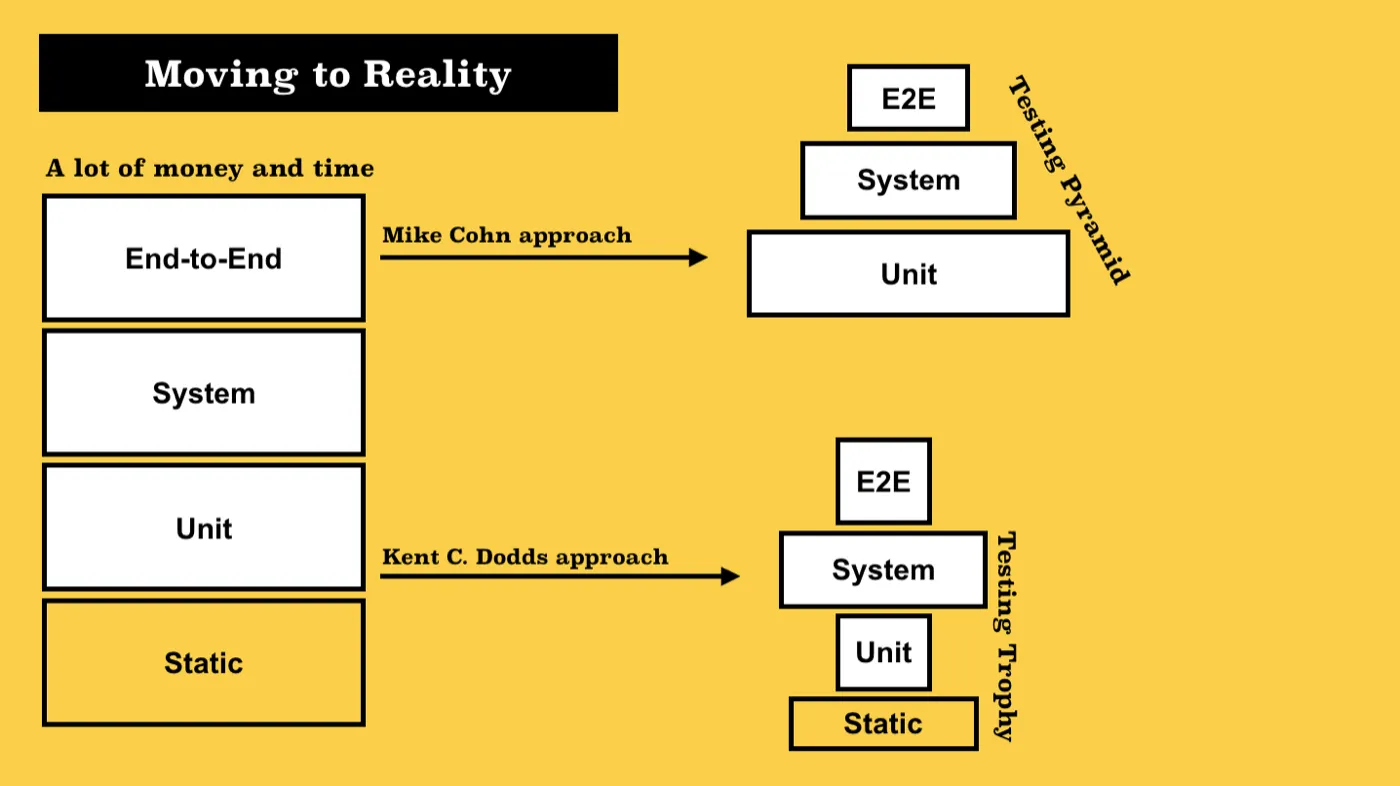
At the same time, you should remember that we work with business and for business. In this reality, TST is impossible. It is more appropriate to use Mike Cohn’s Testing Pyramid or Kent C. Dodds’ Testing Trophy:
You should remember: Automation should be like Iron Man — not Ultron.
I will provide you with a list of tests that, in my opinion, should be written by developers. Not by automation engineers. They supplement the test environment with scalability testing, load testing, stress testing, soak testing, etc. I’m talking about us, about the developers.
Unit Test, Block Test, or Component Test
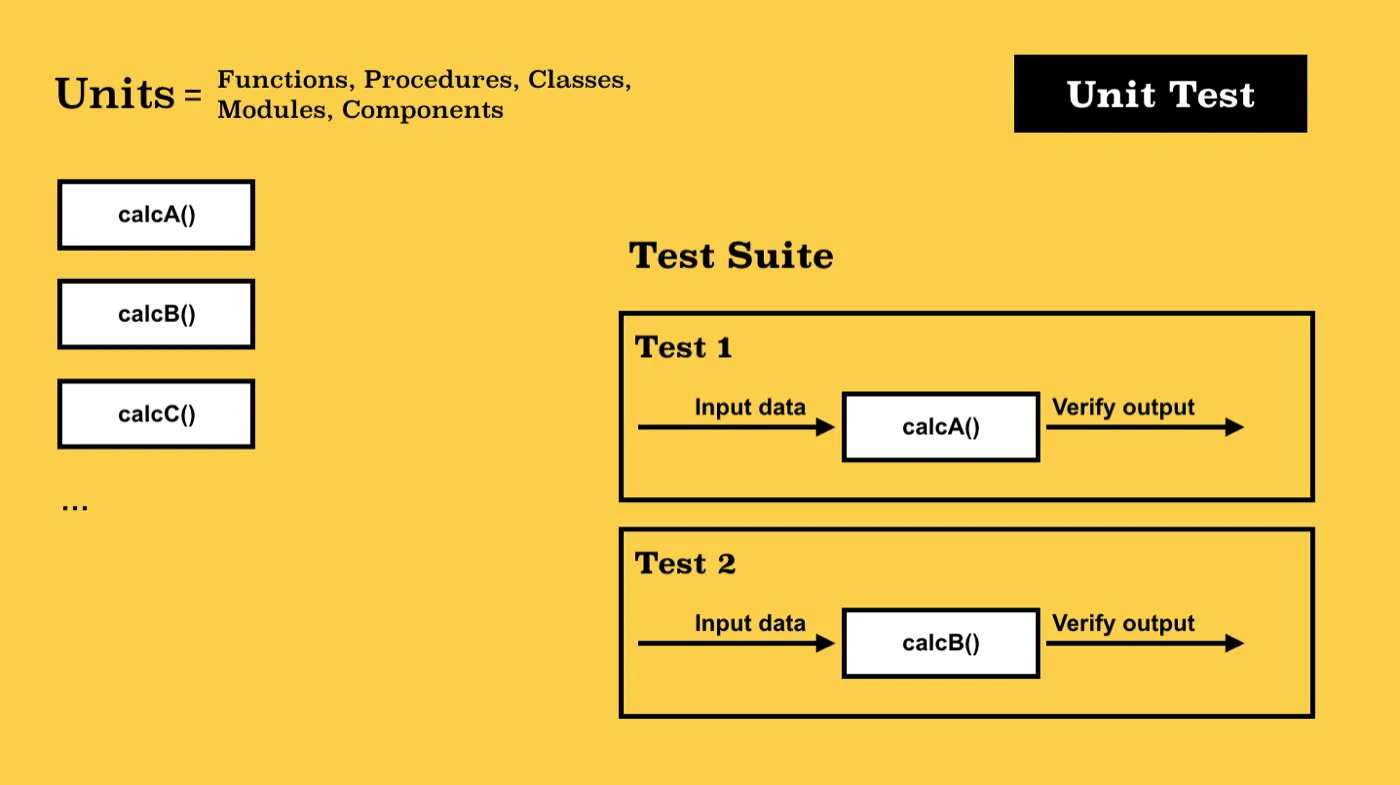
A unit test is used for testing a logically allocated and isolated system unit. In most cases, it is a class method or a simple function (although it can be the whole class). The isolation of the tested unit is achieved with the help of stubs, dummies, and mockups.
System Test or Service Test
“For some years I have been successfully using the following rule of thumb for scheduling a software task:
1/3 planning
1/6 coding
1/4 component test and early system test
1/4 system test all components in hand”
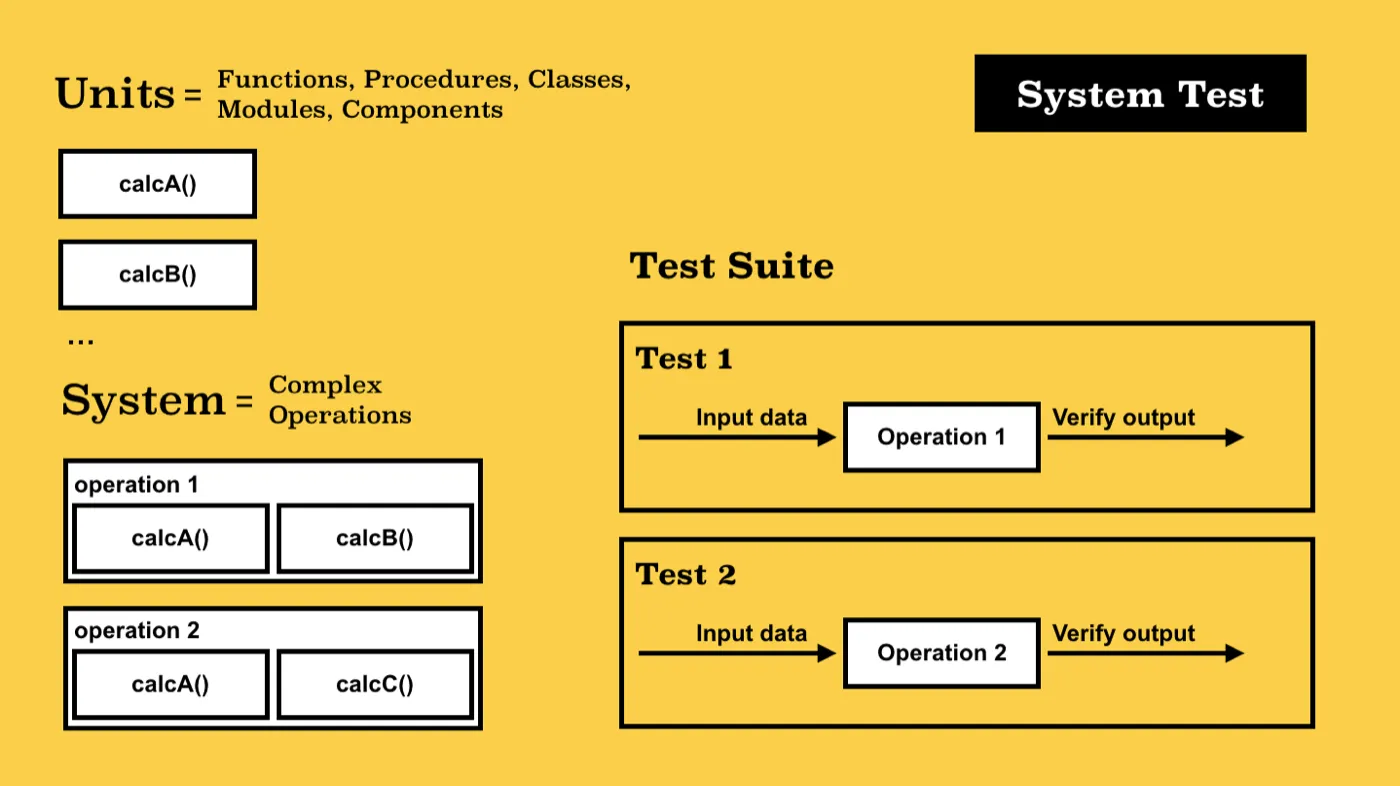
This is a complex test that tests a bunch of several components at once. In this case, the system is perceived as a black box. We can say that this is a unit test where the module is a bundle of components. The bundle is united by a facade that provides the appropriate API. The methods of this API are what we should cover with tests. The isolation of the bundle is achieved with the help of Stubs, Dummies, and Mockups. Components are connected and the format of communication between them is checked with the help of so-called Spies.
Integration Test, Contract Test, or API-Driven Test
In fact, this is a kind of system test. More often, this term is used for tests that cover the public API of the service. The focus is on testing the interaction of different systems on the principle of “service-client.” For example, Data Access Layer methods are covered by system tests. The controller methods that call functions for calculating business information (Business Layer) are also covered by system tests.
But the handlers for HTTP requests, which call the methods of the controllers, are covered by integration tests. With such testing, requests should be made the same way the end-user of this service will do (for example, a single-page application or a tester using Postman/Swagger). This means that actually, for such tests, it is necessary to recreate an almost fully functioning environment. The most difficult thing is to isolate the tests and generate test data. To form such an environment, the TestBed and Fixture (Scaffolding) templates are used.
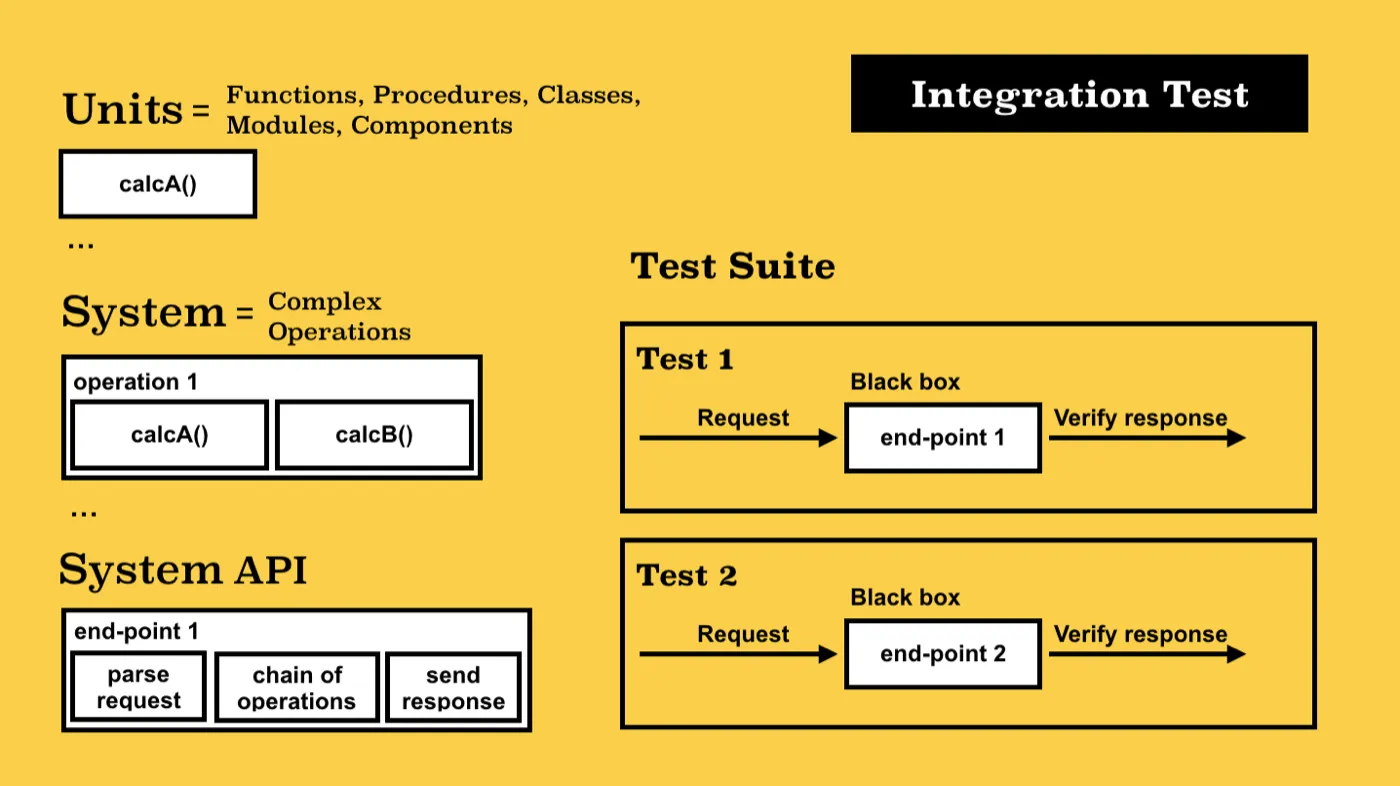
Functional or End-to-End test, GUI test, Walk-Through test
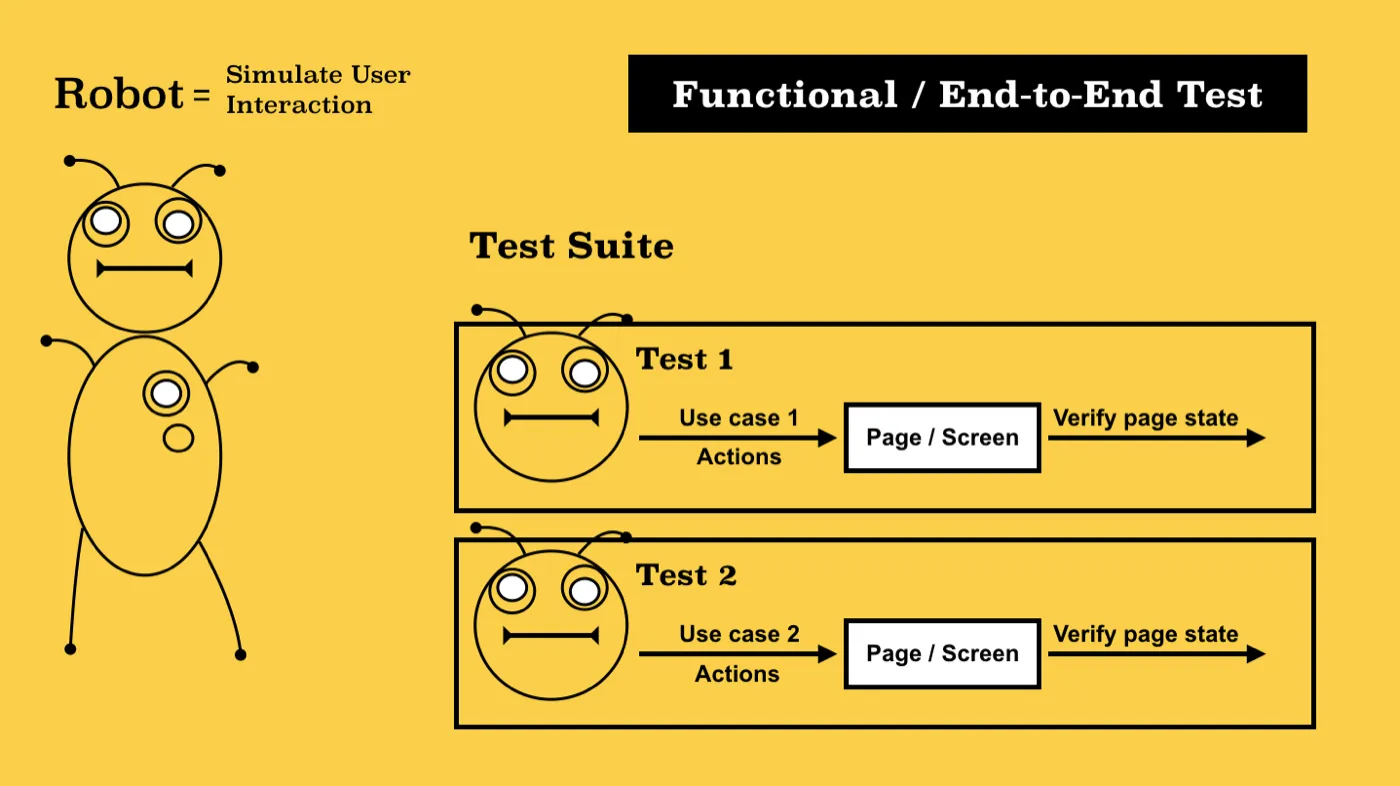
This is a test that is developed to emulate the behavior of the end-user of the system. Actually, you must write a robot that will use your system in a test environment. More often, this term is used for GUI (i.e. user interaction and graphical system interface).
One of the most popular templates that makes it easier to write such tests is the Page Object (Screen Object). A good practice is to implement such tests in the style of the headless browser so that they can be run without a graphical interface as part of the CI (Continuous Integration) process. Most of these tests are written by automation engineers, but the developer should add the basic set.
Snapshot test
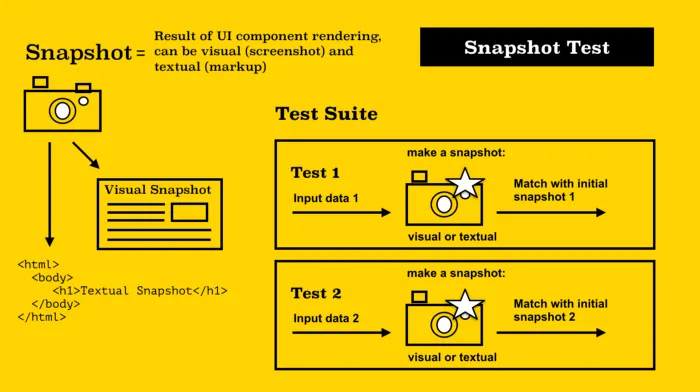
A snapshot is a type of test that lies somewhere between integration and a functional test. Most often, these tests are related to the user interface and its components, as they check the visual representation of the component. Although, such tests can be applied to other parts of the system, for example, checking database dumps or code conversion results.
The essence of the test is very simple, using a specialized tool, we create a reference image (snapshot) of a UI component or page — this is, in fact, the result of rendering.
In tests, we mount a UI component with specific input data and, with each new start, create a new snapshot. Next, we compare the stored snapshot and generated during the test.
Snapshots can be textual (a file with HTML markup, like snapshots in Jest) and visual (in fact, this is a screenshot — tools like Percy, Chromatic or PixelMatch)
Smoke Test or Sanity Check
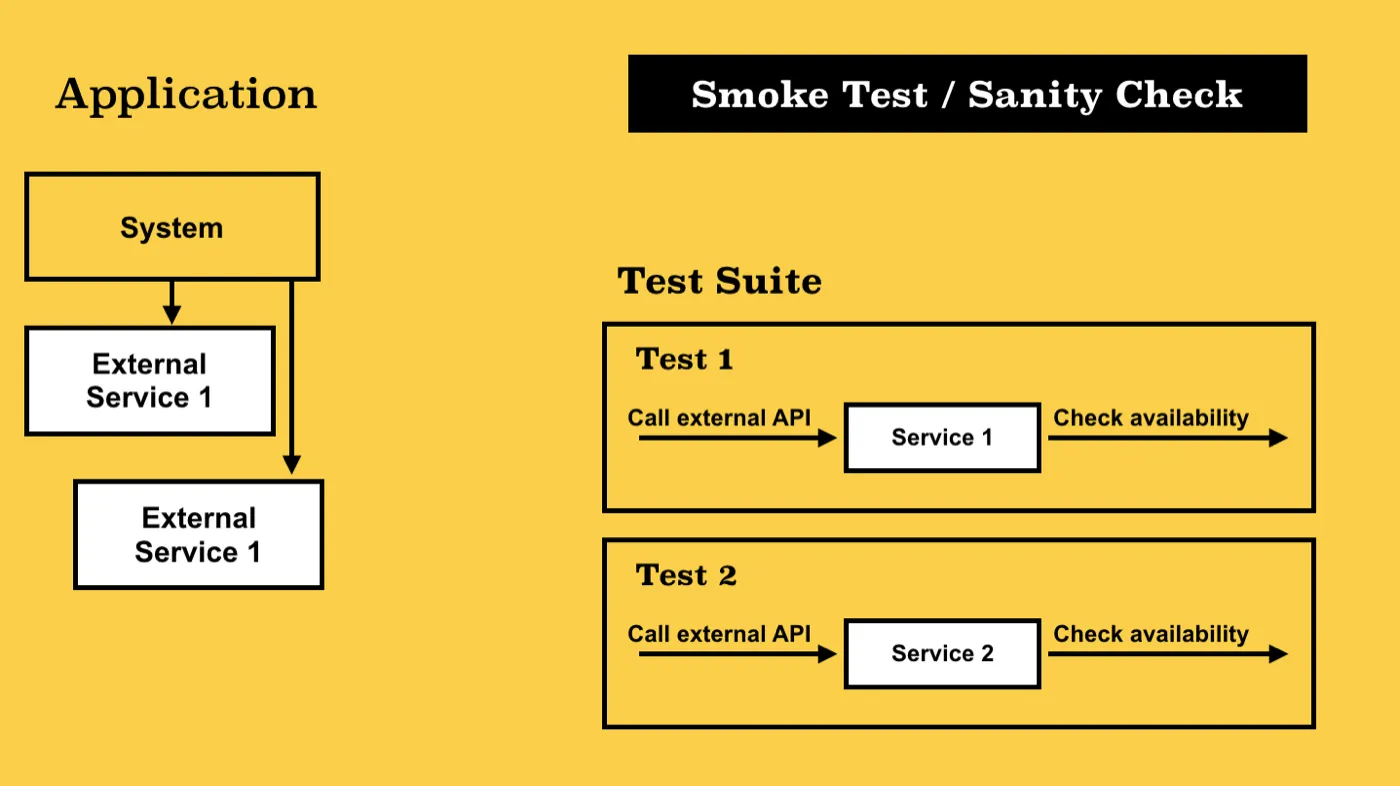
This is a special case of integration testing. Usually, these are very small tests that are run before the system is started to make sure the third-party software is working, which is necessary for the correct functioning of the system. In case of failure of such tests, we can notify the user about the problem or stop the launch of the system altogether.
“Smoke tests originated with hardware testing to determine whether powering on a device would cause it to start smoking, an indication of a major problem.” — Effective DevOps: Building a Culture of Collaboration, Affinity, and Tooling at Scale
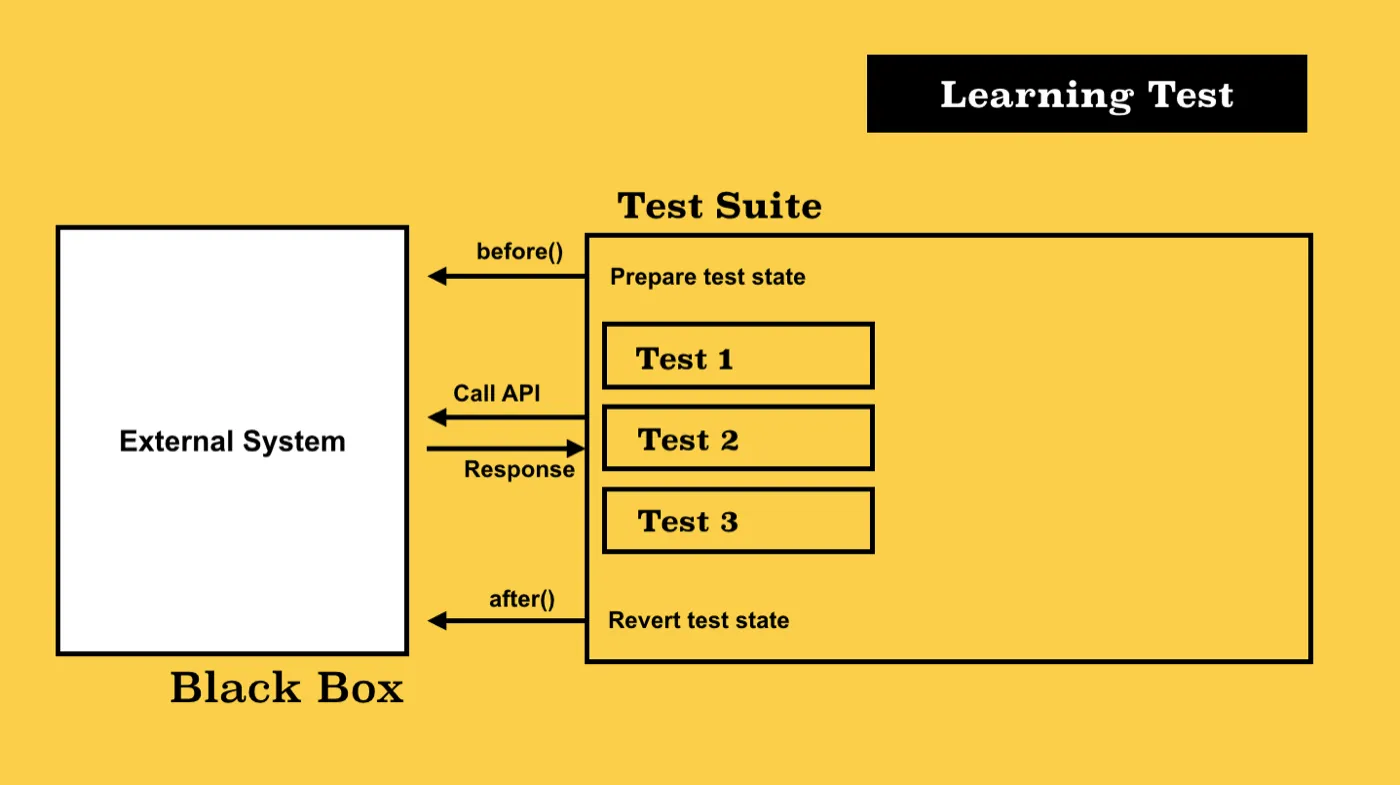
Learning Test
This is a kind of integration test written by the client developer (integrator) as part of the process of studying the system with which he will later have to integrate.
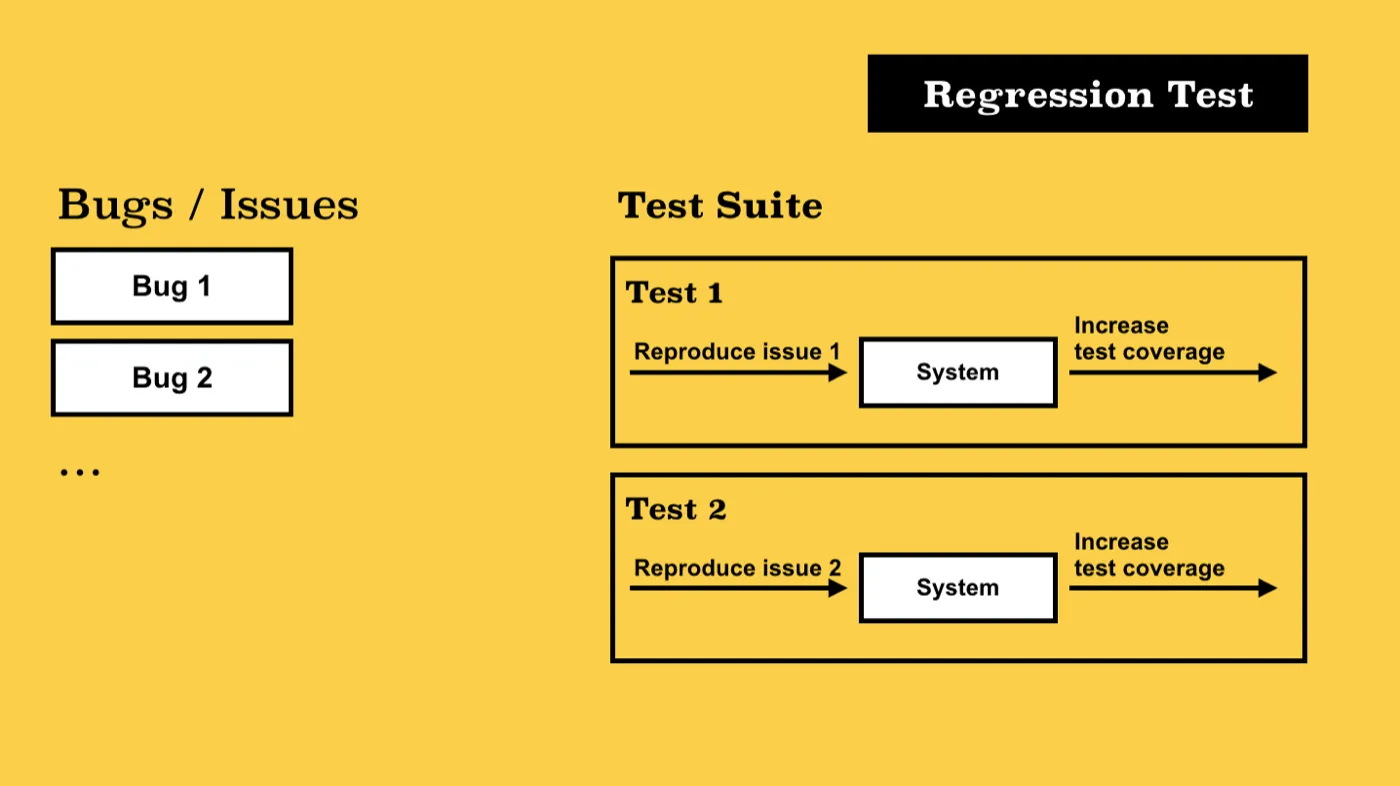
Regression Test
This can be any kind of test from the ones described above, but it is written after the problem was detected. The test should emulate exactly the same steps to reproduce the problem. Having such a test after fixing the problem gives a guarantee that the same bug will not appear in the system anymore.
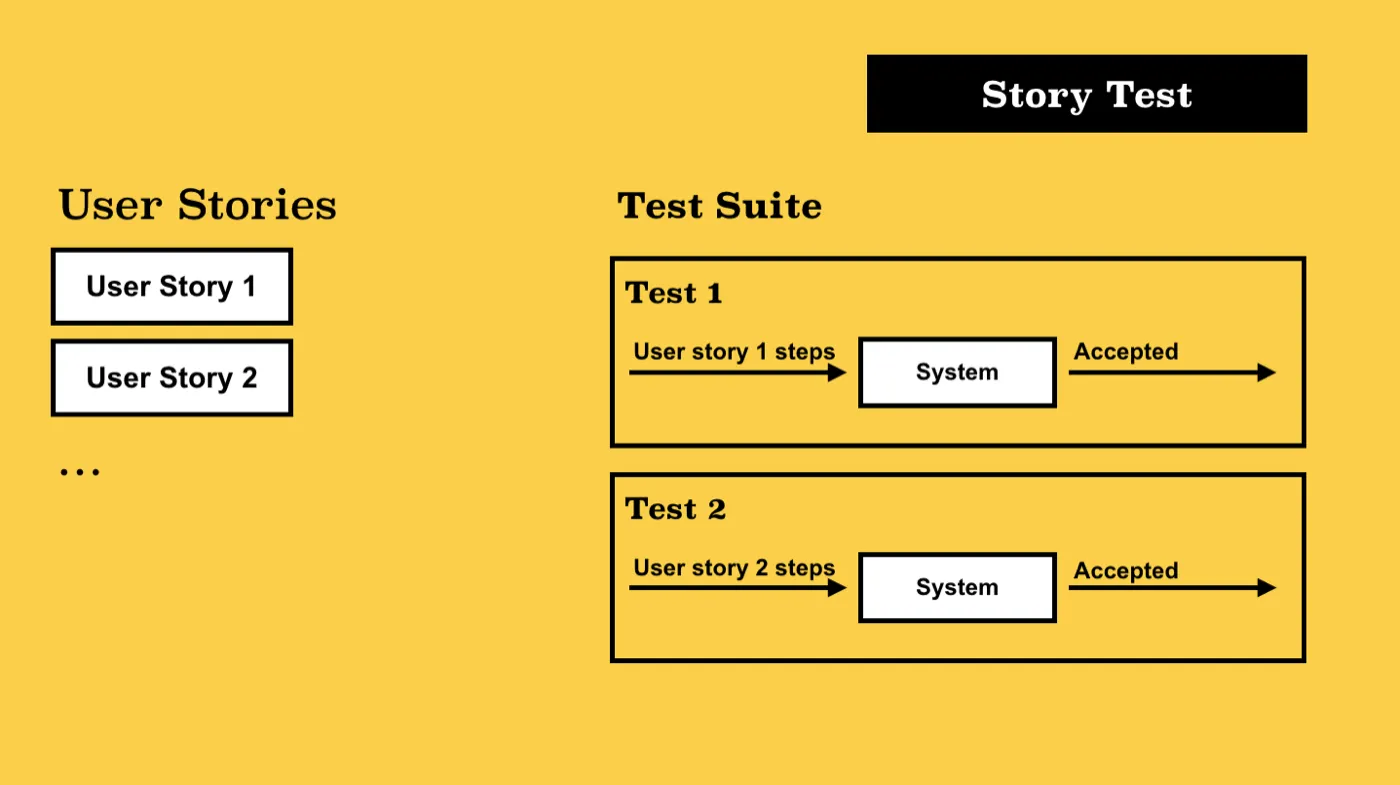
Acceptance Test or Story Test
This can be any kind of test from the ones described above. The main idea is that one such test corresponds to a specific user story (i.e. the positive result of acceptance tests is a guarantee that you implemented the functionality exactly the way the customer wanted it to be).
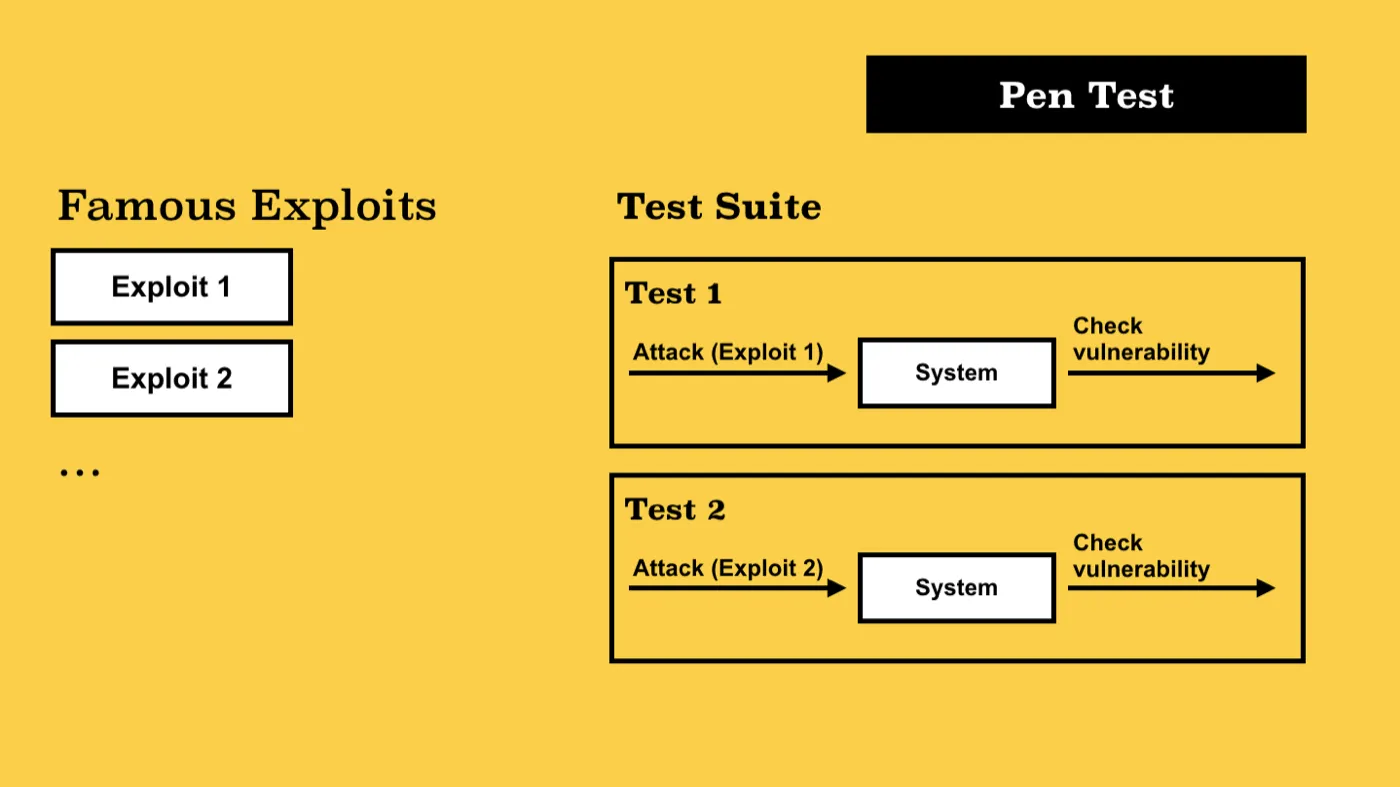
Penetration Test, Pentest
The system checks for various vulnerabilities. A good example is the tests that check the escape of SQL commands (injection protection), data availability, and authorization with an expired token, etc. The difficulty in writing such tests is accounting for all the bottlenecks. Usually, public information about known vulnerabilities and exploits of the platform is used for this.
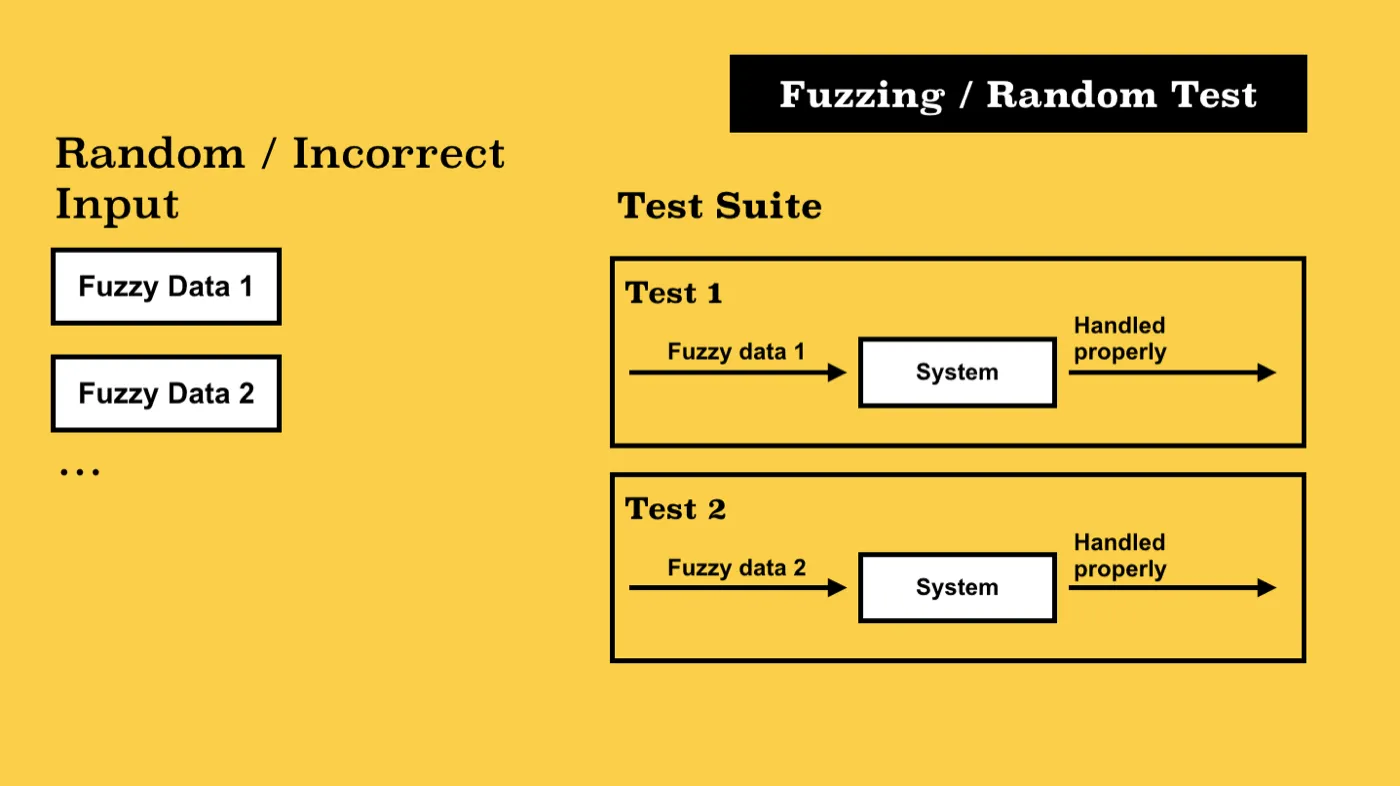
Fuzzing Test, Fuzztest, Random Test
This is more often a kind of system test or check for vulnerability. The idea is to feed a random, deliberately incorrect or unexpected input data stream to the system input. The purpose of this test is to attempt to detect violations of validation logic and verification, application logic in the boundary cases, sudden server crashes, attempts to detect memory leaks, or leakage of information about the internal device of the system through unprocessed error messages (stacktrace).
Testing Patterns
Stub (Dummy, Noop) is a function or method of a class that replaces the implementation of the original function and, without performing any meaningful action, returns an empty result or test data.
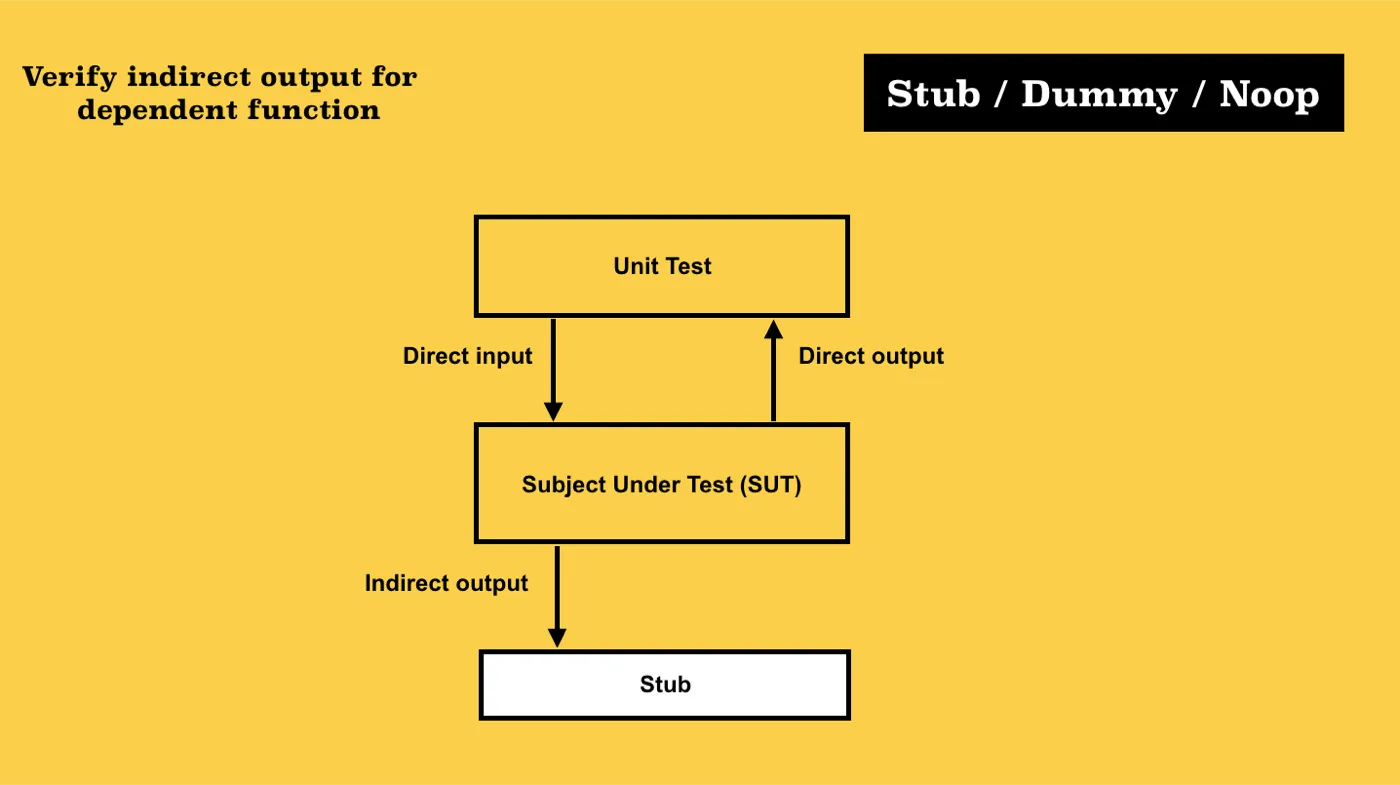
/* Very primitive implementation of stub */

function foo(msg) {
  return System.callExternalAPI(msg);
}

function bar() {
  return foo('Specific message');
}

function stub() {
  const stubFunc = (arg) => {
    stubFunc.calls++;
    stubFunc.args.push(arg);
    return arg;
  };
  stubFunc.args = [];
  stubFunc.calls = 0;
  return stubFunc;
}

// ...

describe('function bar()', () => {
  const originalFoo = foo;

  before(() => {
    foo = stub();
  });

  after(() => {
    foo = originalFoo;
  });

  it('should call foo() function', () => {
    bar();
    assertEquals(foo.calls, 1);
    assertEquals(foo.args, ['Specific message']); // verify indirect output
  });
});
Mockup is an instance of the object that represents a specific dummy implementation of the interface. As a rule, a mockup is intended for substitution of the original system object solely for testing the interaction and isolation of the tested component. Often, the methods of the object are Stubs and Dummies.
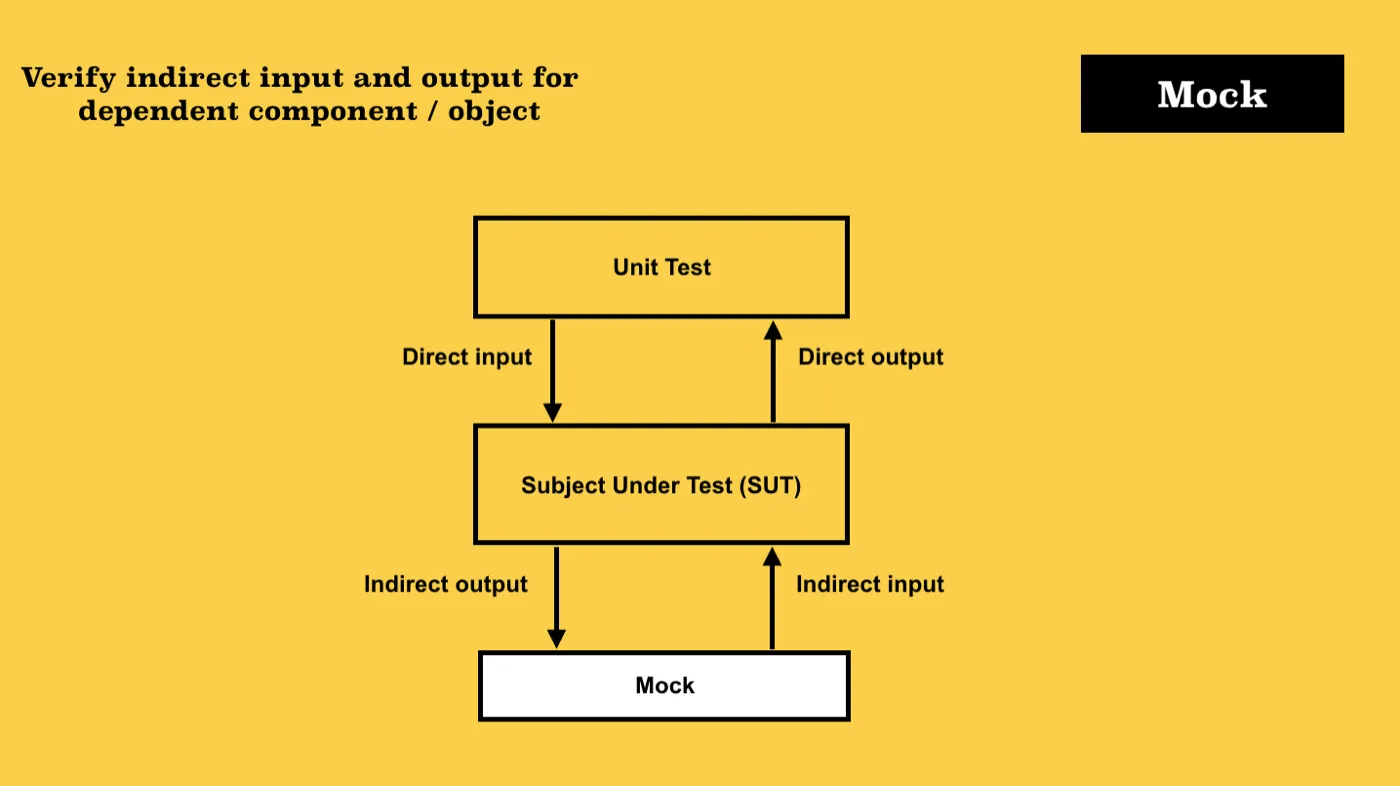
/* Very primitive implementation of mock */

function foo(msg) {
  return System.callExternalAPI(msg);
}

function bar() {
  return foo('Specific message');
}

function stub(result) {
  const stubFunc = (arg) => {
    stubFunc.calls++;
    stubFunc.args.push(arg);
    return result;
  };
  stubFunc.args = [];
  stubFunc.calls = 0;
  return stubFunc;
}

// ...

describe('function bar()', () => {
  const originalSystem = System;

  const mock = {
    callExternalAPI: stub('System message'), // or just some pure implementation like (msg) => 'System message'
  };

  before(() => {
    System = mock;
  });

  after(() => {
    System = originalSystem;
  });

  it('should call and return result of foo() function', () => {
    const result = bar();
    // Verify indirect input
    assertEquals(result, 'System message');

    // Verify indirect output
    assertEquals(System.callExternalAPI.calls, 1);
    assertEquals(System.callExternalAPI.args, ['Specific message']);
  });
});
Spy is a wrapper object, a type of proxy that listens to calls and stores information about these calls (arguments, number of calls, context) of the original system object. Further, spy-saved data is used in the tests.
/* Very primitive implementation of spy */

function foo(msg) {
  return System.callExternalAPI(msg);
}

function bar() {
  return foo('Specific message');
}

function spy(instance, method) {
  const original = instance[method];
  const internals = { calls: 0, args: [] };

  instance[method] = (...args) => {
    internals.calls++;
    internals.args.push(args);
    return Reflect.apply(original, instance, args);
  };

  internals.restore = () => {
    instance[method] = original;
  };

  return internals;
}

// ...

describe('function bar()', () => {
  let spyInstance;

  before(() => {
    spyInstance = spy(System, 'callExternalAPI');
  });

  after(() => {
    spyInstance.restore();
  });

  it('should call and return result of foo() function', () => {
    const result = bar();
    // Verify indirect input
    assertEquals(result, 'System message');

    // Verify indirect output
    assertEquals(spyInstance.calls, 1);
    assertEquals(spyInstance.args, ['Specific message']);
  });
});
TestBed is a specially recreated test environment, a platform for testing (maybe a set of Mockups, Stubs, and Spies). It is used for the complex testing of individual bundles of components or the entire system. It can also be used as a playground for experiments.
Examples in JavaScript are lab and hapi.js server.inject, supertest and express.js app, angular 2 testbed for components, enzyme and react-testing-library for react.js components, and sandbox in sinonjs.
Fixture (Scaffolding) is the mechanism that brings the object or the entire system into a certain state and fixes this state for tests. Often, the fixture refers to the test data necessary for the correct launch of tests as well as the mechanisms for uploading/downloading this data to the repository (i. e. the main purpose of fixtures is to bring system data to a specific state — fixed — that will be exactly known during the test’s execution).
// fixtures/users.js

exports.Users = [{ name: 'Woody' }, { name: 'Buzz' }, { name: 'Steve Holt' }];

// ...

describe('User', () => {
  const loader = new FixtureLoader('testDataSource');

  before((done) => {
    loader.resetDB((error) => {
      if (!!error) return done(error);
      loader.load(path.join(__dirname, './fixtures/users.js'), done);
    });
  });

  // ...
});
Page Object or Screen Object is an object whose structure repeats the elements of the page. The object provides methods for working with the corresponding UI page (clicking buttons, filling fields, switching to other pages) and accessing information on this page (title, various kinds of text, tags). One of the most popular tools in this area is Selenium WebDriver and various wrappers over it.
import PageObject from '../page-objects/abstract';

class ProjectPage extends PageObject {
  constructor() {
    super();
    this.route = '#/projects';
  }

  openProject(id = '') {
    this.browser.get(`${this.url}${this.route}/${id}`);
  }

  getHeader() {
    return this.getElement('div[data-testid="header"]');
  }
}

// ...

describe('Project page', () => {
  const page = new ProjectPage();

  beforeAll(() => {
    const loginPage = new LoginPage();
    loginPage.open();
    loginPage.loginAsAdmin();
    page.wait(() => page.open());
  });

  // ...
  it('should display correct header in project creation case', () => {
    expect(page.getHeader().getText()).toEqual('Create Project');
  });
});
Asserts is a set of functions that allow you to compare the results of two or more functions. It can provide the possibility of comparing structures in-depth, using the mechanisms of introspection to check the objects for the presence of certain properties.